Source file format
PEC
The PEC file already contains stitches. Conversion carries those stitches into DSB wherever the output format supports the same commands.
Direct answer
Yes. A supported PEC embroidery file can be converted to DSB. The converter preserves the existing dimensions and stitch path wherever the DSB format supports them, then validates the output.
Visual simulation
Preview the real stitch result for free, then unlock the machine file with credits, single-file checkout or a subscription allowance.
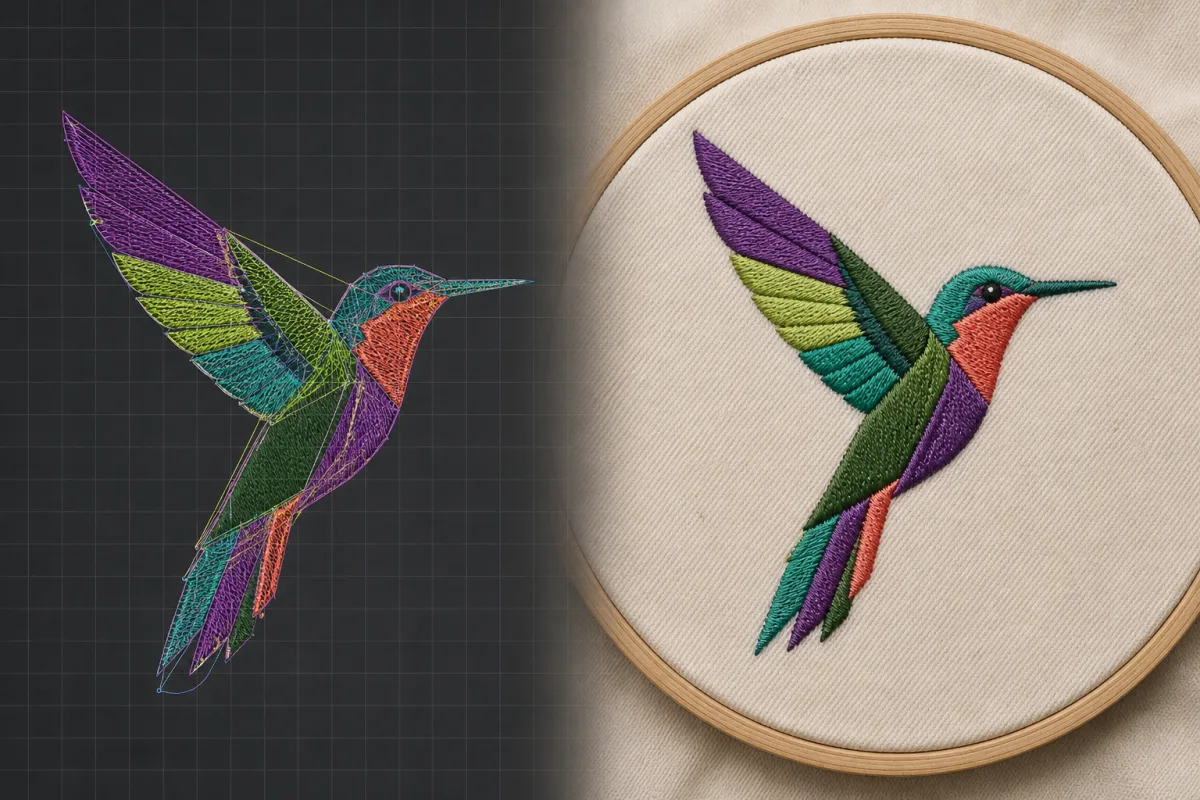
The PEC file already contains stitches. Conversion carries those stitches into DSB wherever the output format supports the same commands. Some formats store full colour information, while others store only colour-change stops. You may need to assign your preferred thread chart at the machine.
Formats commonly used by
Format compatibility matrix
Yes. A supported PEC embroidery file can be converted to DSB. The converter preserves the existing dimensions and stitch path wherever the DSB format supports them, then validates the output.
Source file format
The PEC file already contains stitches. Conversion carries those stitches into DSB wherever the output format supports the same commands.
Purpose
A Barudan stitch format for compatible production machines.
Common machine support
Machine support names common ecosystems, not every model. Confirm your machine manual and test stitch unfamiliar designs.
Output validation
Some formats store full colour information, while others store only colour-change stops. You may need to assign your preferred thread chart at the machine.
Choose embroidery files for private conversion
Choose the format your machine expects.
Check dimensions, stitch count, thread count, jumps, trims, colour changes, and the final end command.
Always run a test stitch before production.
Automated processing and production results
Every completed job includes the selected machine files, a software-rendered stitch preview, thread chart, production worksheet and a ZIP package. EXP jobs also include Bernina-compatible INF colour information and a BMP preview companion.
Generated files are parsed again before delivery. The result includes a software preview, production metrics and compatibility warnings.
Check dimensions, stitch count, thread count, jumps, trims, colour changes, and the final end command.
A Barudan stitch format for compatible production machines.
For occasional logos, personal projects and files that arrive in the wrong format.
For sellers creating new designs and preparing customer-ready format bundles.
For embroidery shops handling new artwork and production files every day.
Buy non-expiring credits when you need extra processing without starting a subscription.
Cancel or change plans through the Stripe billing portal. Pay-as-you-go credits remain available without a subscription.
Create new machine-ready designs or solve format mismatches without confusing the two services.
Submit clean artwork with the finished width and desired machine formats, then follow automated colour handling and digitising through validation and private delivery.
Keep digitising and machine-format conversion separate while managing both services from the same account and download history.
Track artwork orders, convert supported stitch files, review dimensions and colour changes, and retain a useful audit trail for production work.
From a customer’s logo to the right machine file.
Automated digitising and file conversion stay separate, clear, and trackable.
Clear before you commitSee requirements, status, compatibility warnings, generated files, and delivery details before downloading.
Your original stays originalOutputs are stored separately. A conversion never overwrites the design you upload.
No format lock-inDownload authorised deliverables and use them in the machine workflow you choose.
Output validation
Yes. A supported PEC embroidery file can be converted to DSB. The converter preserves the existing dimensions and stitch path wherever the DSB format supports them, then validates the output.
Check dimensions, stitch count, thread count, jumps, trims, colour changes, and the final end command.
Some formats store full colour information, while others store only colour-change stops. You may need to assign your preferred thread chart at the machine.
No software is needed to submit digitising work, convert a supported file, review status, or download a result. Advanced manual stitch editing may still require specialist embroidery software.
Every completed job includes a software-rendered stitch preview and thread chart. The selected machine files, production worksheet and ZIP package stay locked until you unlock the download. EXP jobs also include Bernina-compatible INF colour information and a BMP preview companion after unlock.
The stitch preview is free and does not require an account. Daily and monthly preview limits apply. Downloading the machine file, ZIP or worksheet is a separate unlock. Machine-file downloads require processing credits, single-file checkout or an active subscription allowance. Credits unlock files; they do not start the job.