SVG
Vector circles with separate color layers for stencil cutting software.
Studio tools · Rhinestones
Turn a logo or a name into a rhinestone stencil. Preview your design, adjust every stone, and export cutting files in one place.
A rhinestone template maker arranges circular holes from your artwork or text. Cut these holes into stencil material, brush in the stones, then lift the design with transfer tape. This tool creates the cutting layout; it does not create embroidery stitches.
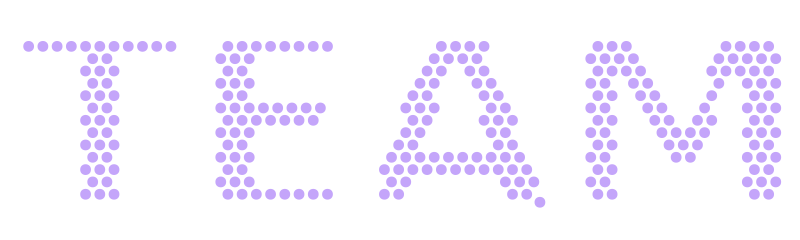
Upload PNG, JPG or SVG artwork, or type a name. Simple logos and bold lettering give the clearest results.
Set the finished width, stone size and up to 12 colors. Compare the preview with your artwork and adjust the spacing or layout.
Move, add or erase stones in the editor. Resolve spacing conflicts, unlock the cutting package, and test-cut the calibration strip.
One unlock includes corrections and repeat downloads.
Vector circles with separate color layers for stencil cutting software.
Circle entities in millimeters, organized into color layers for CAD and cutting workflows.
Actual-size A4 and Letter pages, plus stone counts and a calibration strip in the ZIP package.
Test-cut the calibration strip first. Print PDFs at 100%, without fitting to the page.
Use a clear logo with solid colors, bold shapes and a transparent or plain background. Photos, gradients and tiny lettering need more simplification. Smaller stones or a larger design can preserve more detail.
Preview first. Use your digitising allowance or 5 credits to download. One unlock includes corrections and repeat downloads.
Use SVG or DXF if your cutting software and edition support that format. Confirm the imported dimensions before cutting. Machine, blade and stencil material settings vary; test the calibration strip before cutting the full design.
Choose 1 to 12 colors. Sample colors from the artwork or choose your own palette. The package separates colors into layers and lists the stone count for each color.
Change the design width in the editor and regenerate the layout. Scaling a finished SVG, DXF or PDF also changes hole sizes and spacing, which can stop your stones from fitting.
No. Rhinestone templates are stencil cutting files. For PES, DST and other machine stitch files, use the embroidery digitising tools.
Preview first. Use your digitising allowance or 5 credits to download.